HP OmniBook 7 Aero: Six-Month Review
In April I bought the HP OmniBook 7 Aero, replacing a cheap ThinkPad. Before that ThinkPad, I had been using an M1 MacBook Air, which had great hardware, but I wanted better Linux compatibility. The ThinkPad did the job, but was a little weighty while having a pretty bad screen, and weak internals. Therefore, I searched for something else to use long term. I don’t travel much, but I really enjoyed how lightweight the MacBook was, since it makes it easier to use even just on the couch. I was targeting a max weight of 1kg, which was even less than the MacBook and therefore quite limiting, especially when not wanting to spend much.
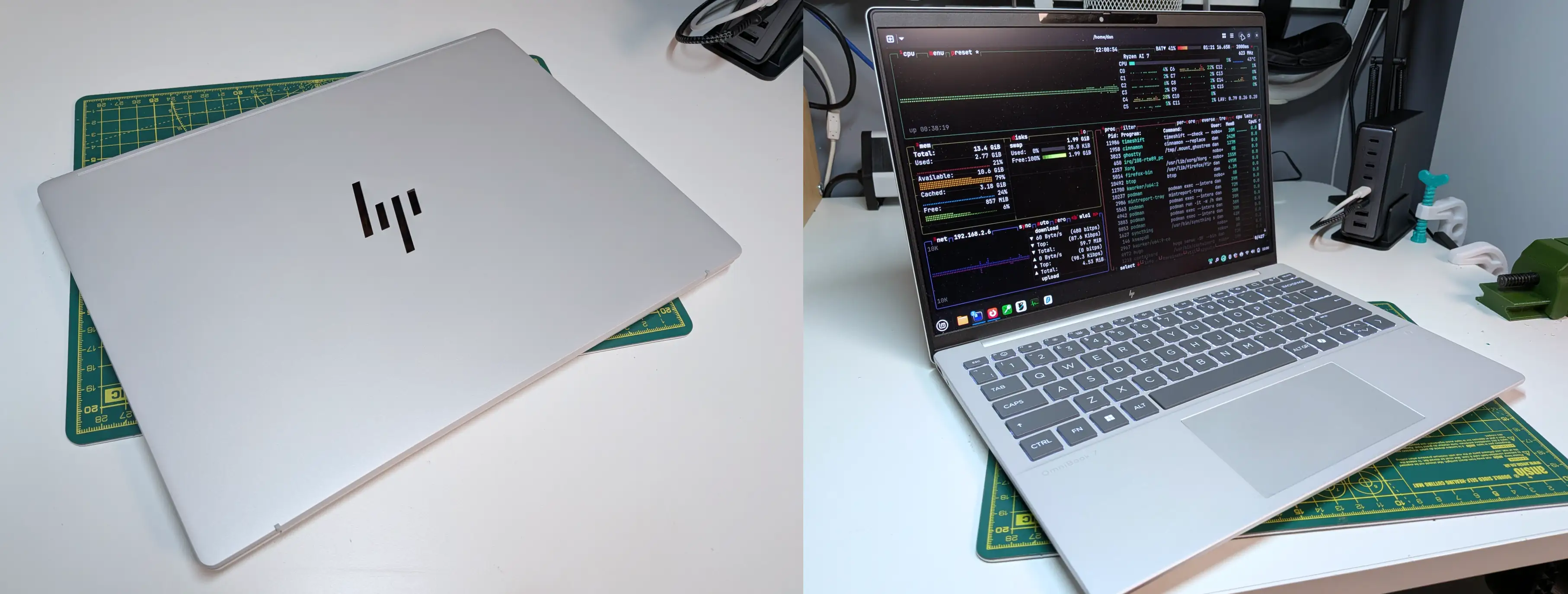
I landed on the HP OmniBook 7 Aero. This was after much searching though, as it hardly shows up when searching for lightweight laptops. Here are the pros and cons I’ve found from my 6 months of use so far:
Pros
- It’s light, but not cheap feeling. I don’t notice flex at all. Maybe not as premium as a MacBook, but more comfortable in use.
- It looks nice aesthetically, especially compared to what I’d expect from a HP device. Even the HP logo is well done.
- It seems good value for the price I paid, which was £700. This was a lot cheaper than other modern sub-1kg (decently specced) laptops I could find.
- It has a physical webcam privacy switch/cover thing built in.
- Its port selection is pretty great, especially with having full USB, USB-C and HDMI.
- The Linux compatibility seems to be good, apart from the speakers mentioned below. Haven’t run into any issues with hardware not working outright. Only odd thing is the display appeared washed out, which was quickly fixed with a couple of commands in a script. That might be a Mint issue though.
- Keyboard feels nice. Good separation between keys. Nice amount of travel and click.
- Don’t think I’ve ever noticed the fan, although my work is usually fairly light.
- No silly custom power port or charger, just USB-C.
Cons
- The trackpad is a little small but usable.
- Would have been nice to have USB-C on both sides (There is USB-A on both sides, but only USB-C on the right).
- The speakers seem pretty weak. Potentially a software/firmware issue. They work fine, but my Pixel 10 phone sounds a good bit better. Probably doesn’t help the speakers are on the bottom, firing down.